Construction Time Tracking Software
Accurate, GPS-verified time tracking for UK construction sites. Know who is on site, eliminate timesheet disputes, and export hours straight to payroll. Check pricing for your team size.
Privacy-First Time Tracking
Our system is UK GDPR-aligned. We verify on-site presence with a GPS check only at the moment of clock-in and clock-out. We never track live location or movement history, ensuring employee privacy is protected.
Stop Wasting Time on Manual Timesheets
Inaccurate paper timesheets cost UK construction firms thousands in lost hours and admin time. Geo Time Tracker solves the core problems of site-based labour tracking.
Reduce Timesheet Disputes
GPS-verified check-ins record the exact time and distance from site for every clock event. Managers see clear evidence of who was on site and when.
End Paper Timesheets
Say goodbye to illegible handwriting, forgotten hours, and chasing down workers for timesheets. Get clean, digital records every pay period.
Cut Down on Admin
Digital timesheet approval replaces manual data entry. Managers review and approve shifts in seconds, then export directly to payroll.
Simple Construction Time Tracking in 4 Steps
Get your entire team tracking time accurately in minutes, not weeks.
Add Your Sites
Register your construction sites as locations with a postcode or coordinates. Each site gets its own geofence radius for attendance verification.
Invite Your Team
Add your workers via email invite. They can use the Android app or the mobile web app to clock in and out — no special hardware needed.
Clock In & Out On-Site
Workers clock in with a single tap. GPS location is verified against the site's geofence and the distance is recorded for every check event.
Approve & Export for Payroll
Site managers approve digital timesheets in seconds. Export hours to Sage, BrightPay, QuickBooks, or generic CSV for your payroll system.
Built for UK Construction Sites
Features designed for the reality of managing site-based teams.
GPS Geofencing
Every check-in records GPS coordinates and distance from site. Out-of-range events are flagged and visible to managers on the shift detail page.
Multi-Site Support
Manage multiple construction sites from one dashboard. Each site has its own geofence, schedules, and team assignments. Up to 50 locations on Enterprise.
Shift Scheduling
Create schedules for your site teams with multi-worker assignment and automatic conflict detection. Night shift support included for early-start or overnight work.
Overtime Rules
Configure daily and weekly overtime thresholds with 1.5x and 2x tiers. Enterprise plans add day-of-week premiums and bank holiday rates.
Payroll Export
Export approved hours to Sage, BrightPay, QuickBooks, or generic CSV. Immutable export snapshots ensure payroll records match what was approved.
Expense Tracking
Workers submit expenses with receipt images directly from their shifts. Managers approve or reject with a reason. All plans included.
Digital Timesheets & One-Click Approvals
Transform your timesheet process from a weekly headache into a seamless digital workflow. Our system provides clarity and accountability for every hour logged.
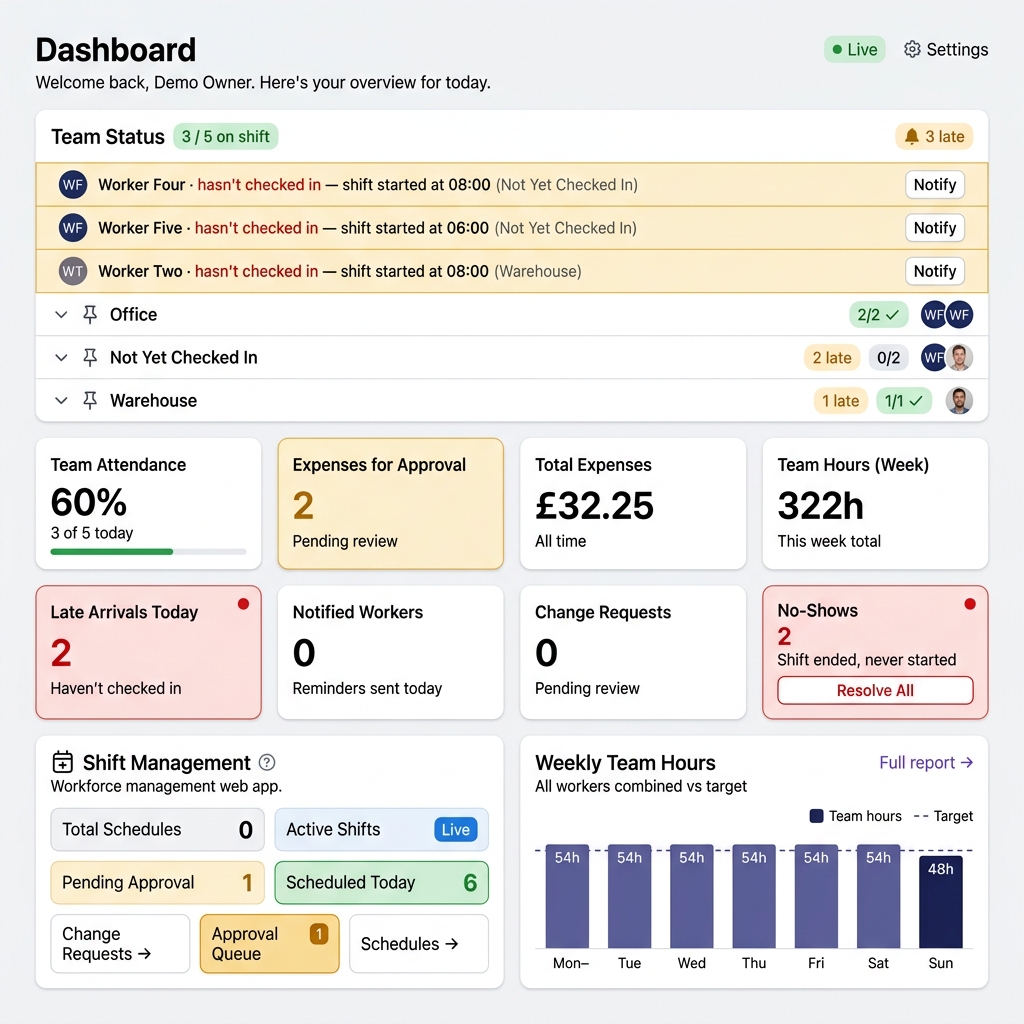
- Real-Time Dashboard: See who is on shift, who is late, and total hours worked across all your sites from one management dashboard.
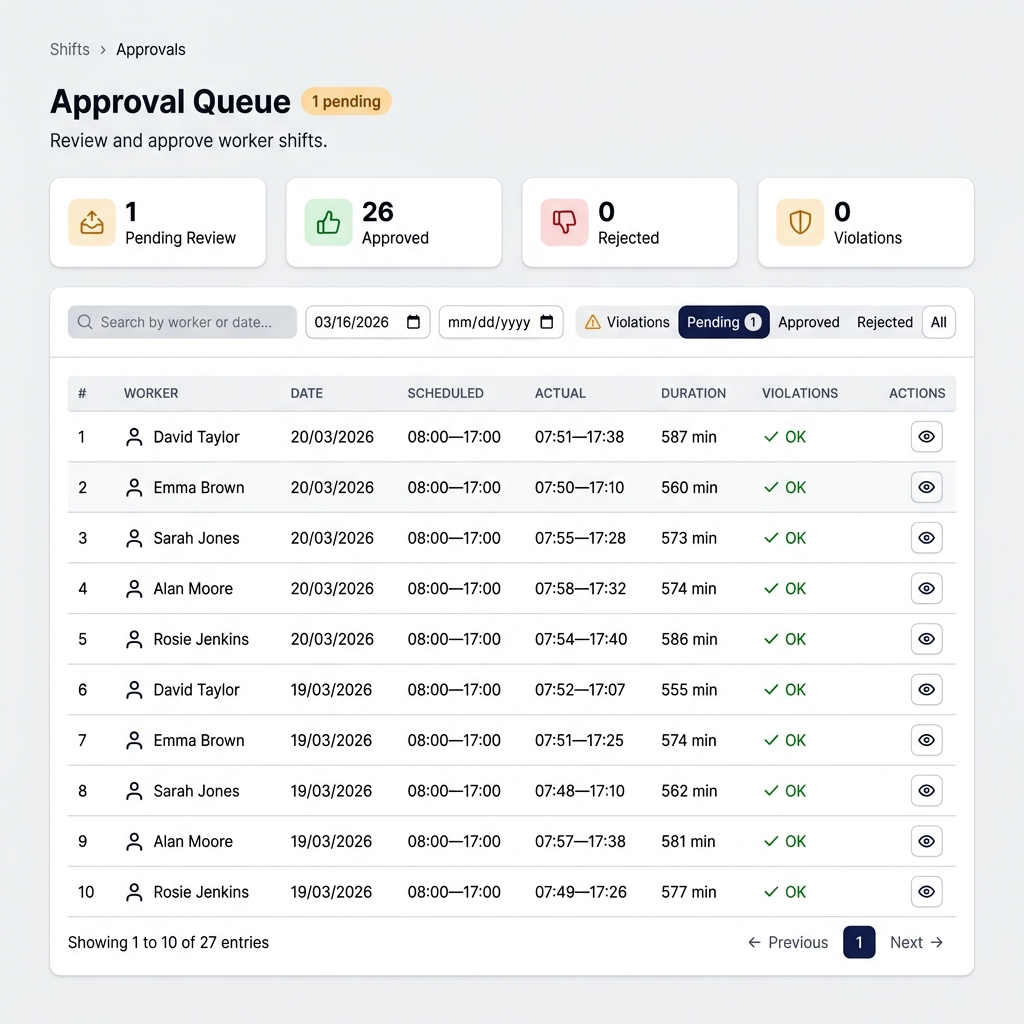
- Manager Approval Workflow: Site managers review and approve their team's shifts individually or in bulk. Workers are notified of approvals and rejections.
- Full Audit Trail: Every clock-in, clock-out, approval, and edit is logged with a timestamp and user, creating a clear record for disputes or compliance.
UK Compliance and Data Privacy Built-In
Geo Time Tracker is designed for UK businesses and follows UK GDPR data-minimisation principles.
Customer data is hosted in the United Kingdom (London region – LON1) on DigitalOcean infrastructure.
Location data is processed only at the moment a user actively clocks in or clocks out, solely to verify presence within an approved work location.
The platform does not provide continuous GPS tracking, live location monitoring, or movement history.
Managers can access attendance records and approved timesheets but cannot view live maps or employee movements.
Audit log retention varies by plan tier (30, 90, or 180 days). Payroll export snapshots are retained for the duration of the subscription.
Frequently Asked Questions
Got questions? We've got answers.
You add your construction site as a location with its postcode or coordinates, and set a geofence radius. When a worker clocks in or out using the app, their GPS location is captured and the distance from site is recorded. If they are outside the geofence, the event is flagged and visible to managers. This gives you a clear, verifiable record of on-site attendance.
A smartphone with GPS. Workers can use the Android app or the mobile web app (works on any phone with a browser). They receive an email invitation to join, create their account, and can start clocking in immediately. No special hardware or kiosks needed.
Yes. The Starter plan includes 1 location, Business supports up to 10, and Enterprise offers up to 50 locations. Each site has its own geofence radius and you can assign different teams to different sites via schedules.
When a worker completes a shift, it enters a pending approval state. Site managers can review each shift's clock times, GPS verification, and any notes, then approve or reject with a reason. Workers receive push notifications on approval or rejection. Approved shifts feed into the payroll export.
GTT exports approved hours as CSV files compatible with Sage, BrightPay, QuickBooks, and any system that accepts generic CSV. Each export is stored as an immutable snapshot so your records always match what was approved. GTT provides the time data — your payroll system handles pay calculations.
Yes, provided it is done transparently and proportionately. Geo Time Tracker captures GPS location only at the moment of clock-in and clock-out — never continuously, during breaks, or outside working hours. We recommend informing staff in their contracts that a GPS attendance verification system is used. See our UK GDPR & Privacy page for details.
See How Geo Time Tracker Can Save You Time & Money
Fill out the form below for a free, no-obligation demo tailored to your business needs.